“Really great app, and legit. Developers are great and responsive, constant updates to make the app better based on feedbacks. Their other apps are really good too!”
Your documents.
Your device.
Your privacy.
The all-in-one PDF app. From scan & sign to AI chat with your documents. 100% offline. No subscription. No compromise.
Free download · 4.5 · 50+ features
Features
Powerful PDF Tools. Completely Offline.
Document Scanner
Auto edge detection with perspective correction and batch scanning.
PDF Editor
Reorder, rotate, and delete pages with drag-and-drop simplicity.
Merge & Split
Combine multiple PDFs or split them into separate files instantly.
Fill & Sign
Digital signatures with reusable signature storage across documents.
AI Chat with PDF
On-device AI assistant answers questions about your documents. Fully offline.
OCR Recognition
Extract text from scans in 13+ languages. Create searchable PDFs.
Annotations
Highlight, underline, and annotate your documents with precision.
Watermark & Lock
Add custom watermarks and password-protect sensitive files.
Compress PDF
Reduce file sizes without sacrificing document quality.
Why Choose myPDF?
Why Choose myPDF?
100% Offline
Every feature works without internet. Your documents are processed entirely on your device — no cloud, no servers, no exceptions.
Free to Use
Core features are completely free. Unlock advanced tools like OCR and batch processing with a single one-time purchase — no subscription.
Cross-Platform
Available on iOS, Android, and macOS. Your PDF workflow works wherever you do.
Privacy First
Zero data collection, zero tracking, zero analytics. We don't know who you are — and we prefer it that way.
See It in Action
myPDF in Action
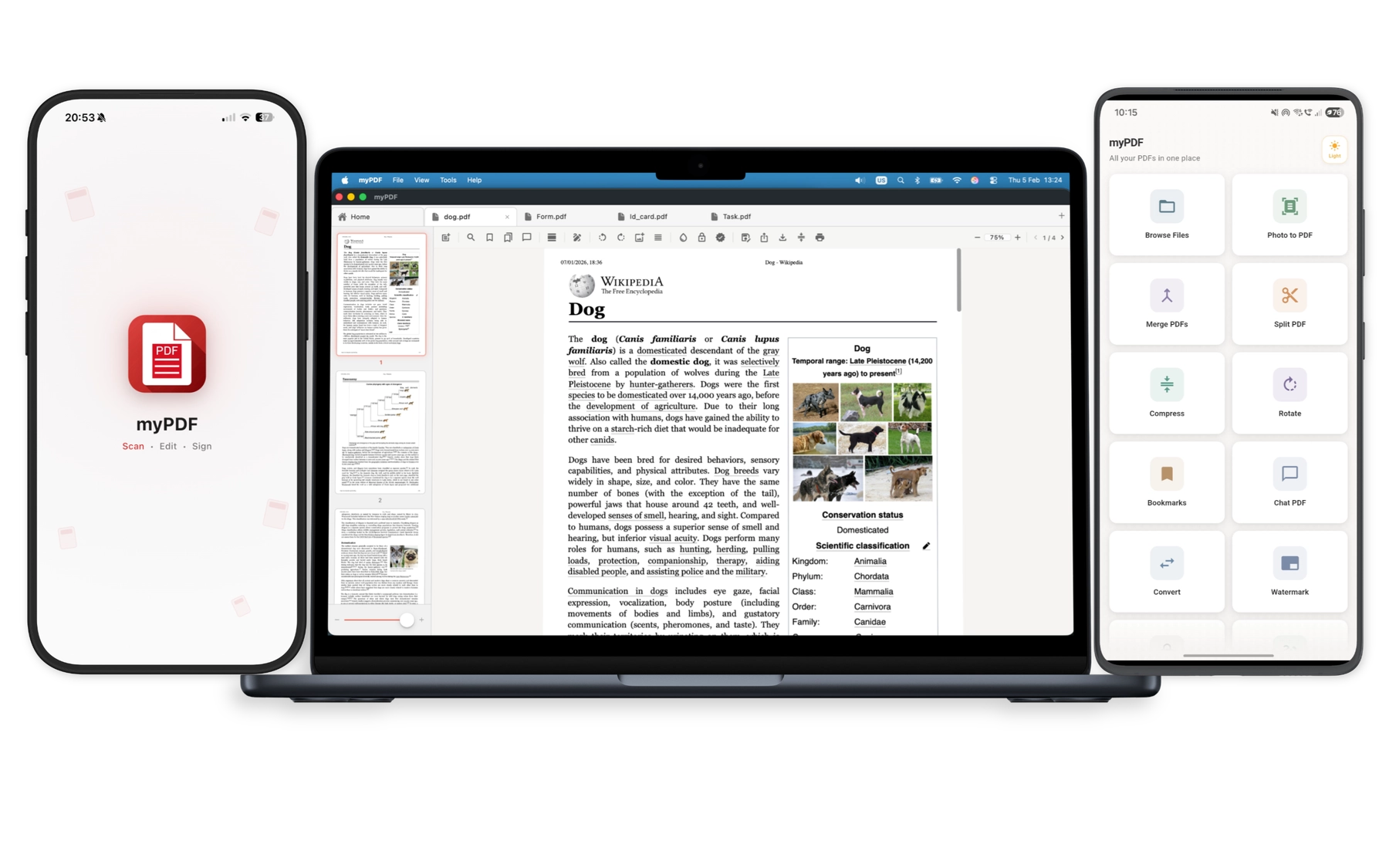
Scan, edit, sign, and chat with your PDFs across iPhone, iPad, Android, and Mac.
All-in-One PDF Toolkit
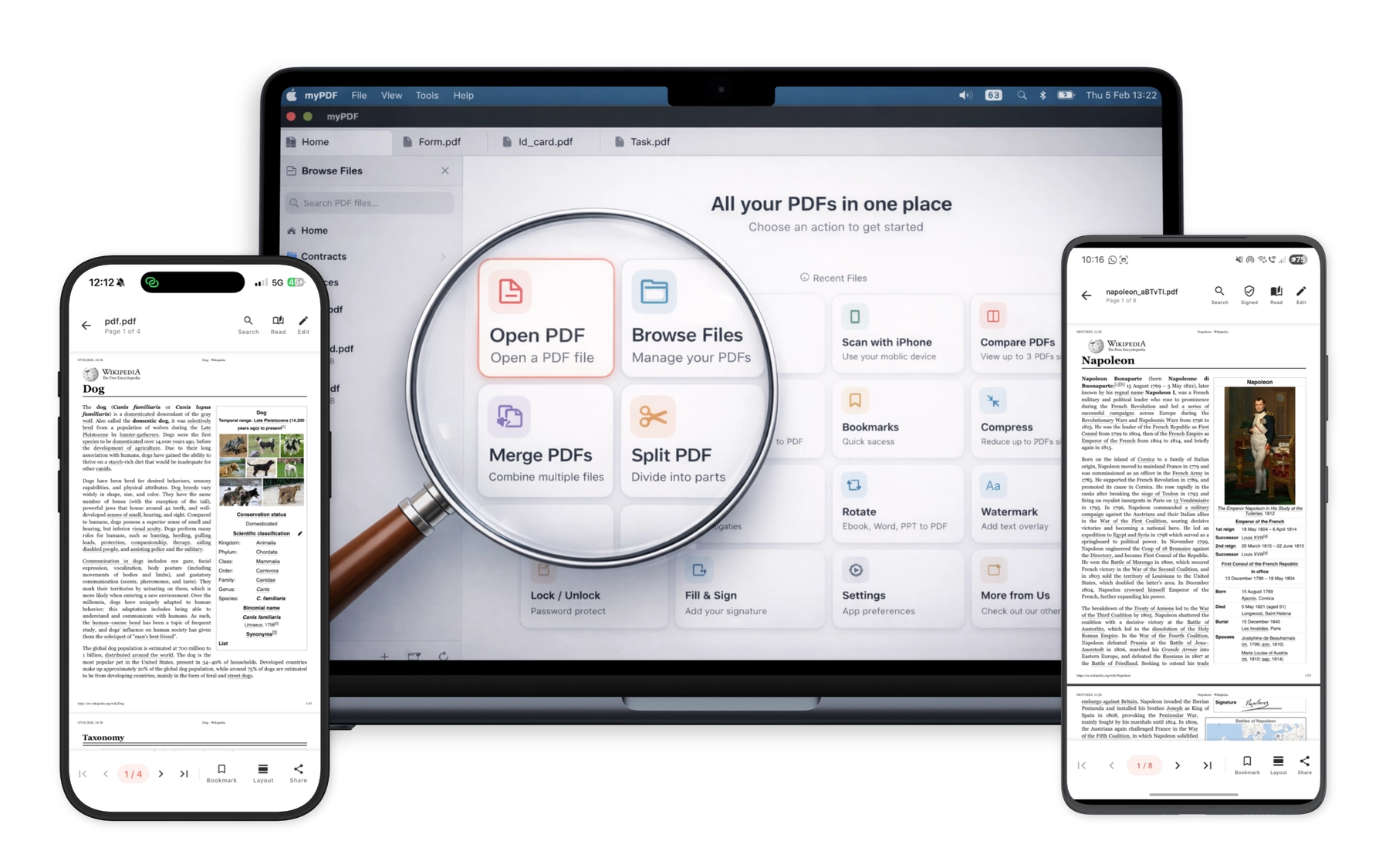
View, edit, merge, split, sign, and annotate — everything you need for PDFs in a single app.
iOS · Android · macOS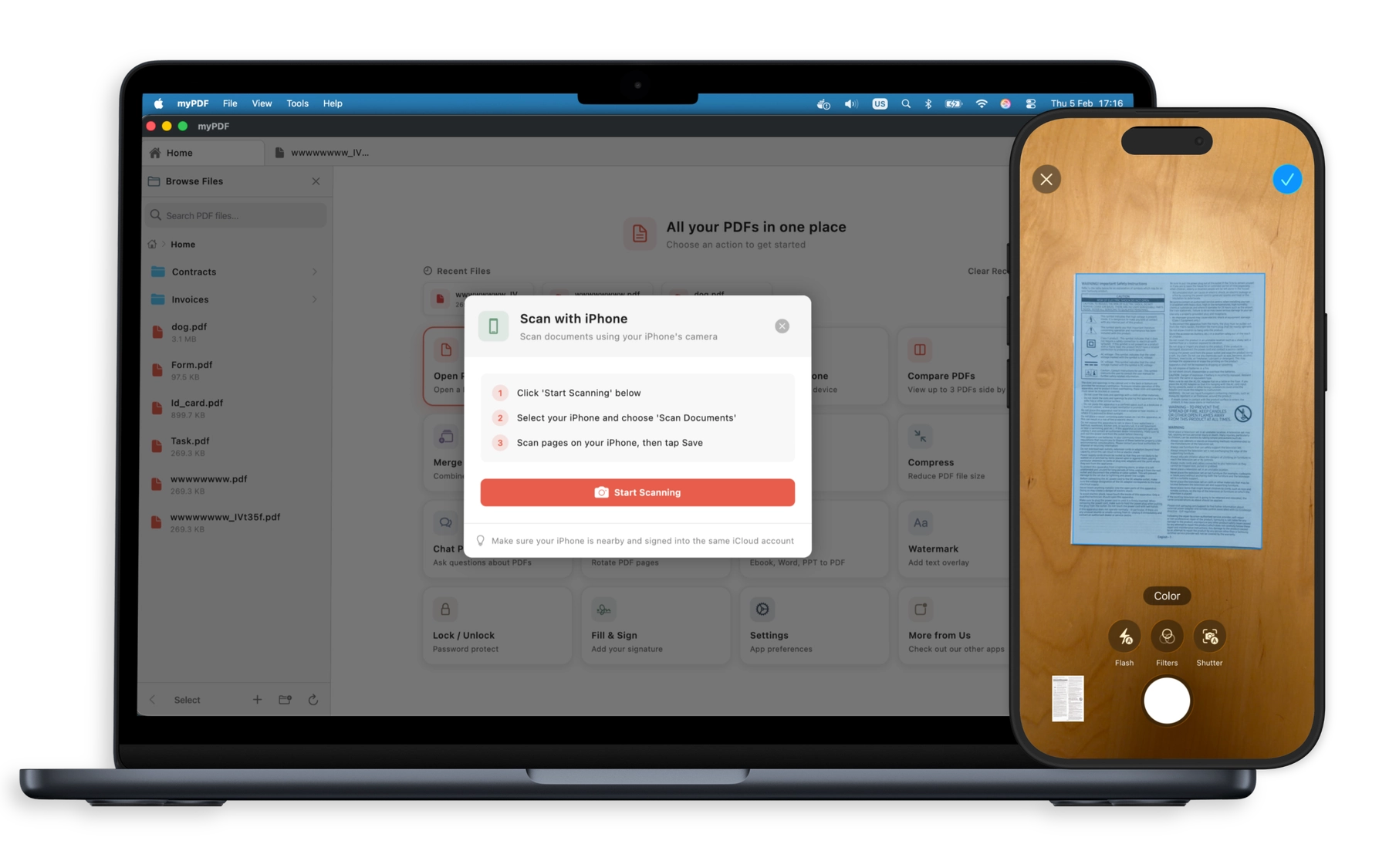
Scan & Edit
Capture documents with your camera and edit them instantly — on any device.
Camera to PDF in seconds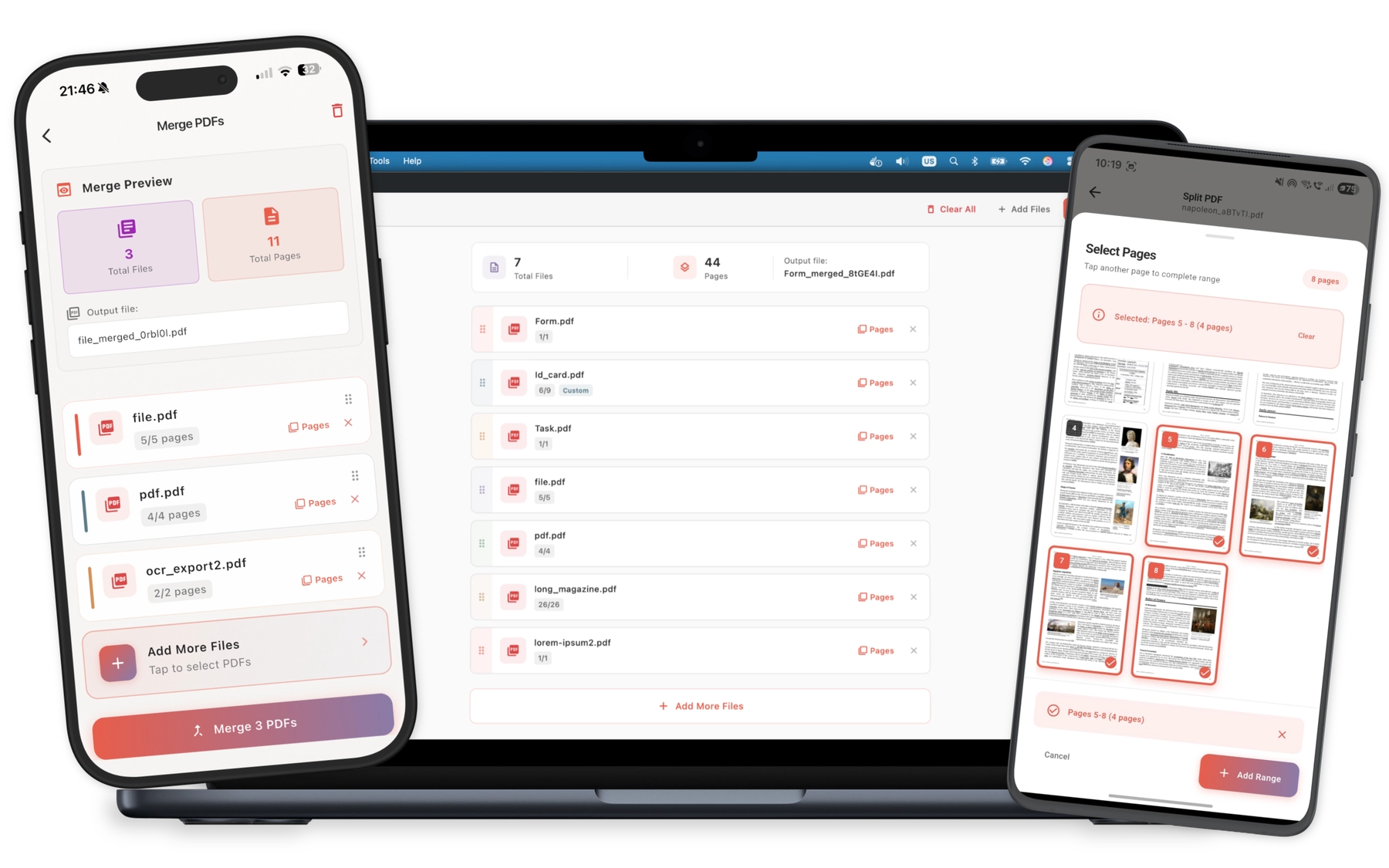
Merge, Split & Reorder
Combine multiple PDFs, extract page ranges, and drag-and-drop to reorder — all with native quality preservation.
No quality loss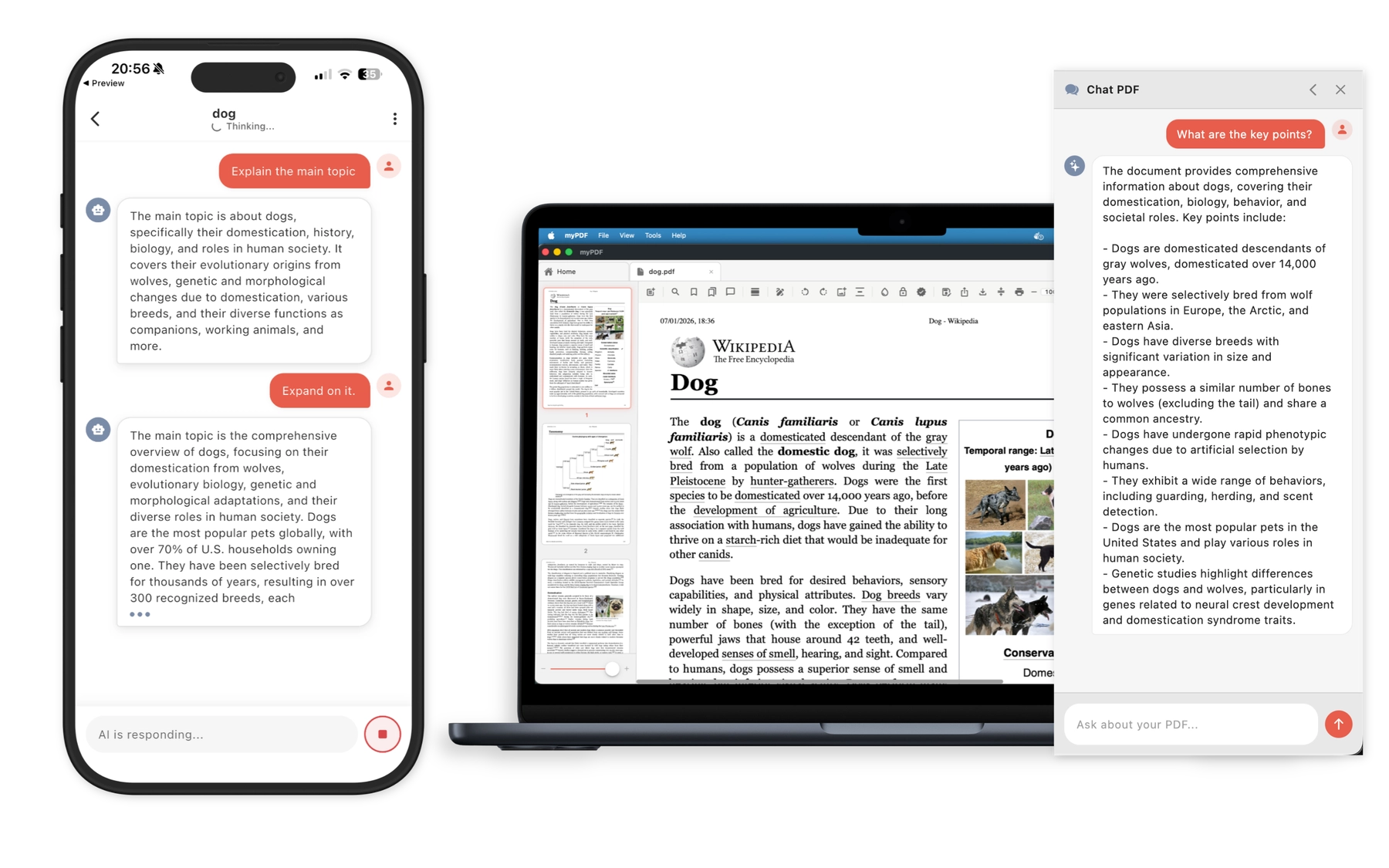
AI Chat & Sign
Chat with your PDFs using on-device AI and sign documents securely — completely offline.
100% on-device Privacy
Your Documents Never Leave Your Device
Unlike most PDF apps, myPDF processes everything locally. No cloud uploads. No data collection. No analytics. When we say offline, we mean it.
Zero Cloud Uploads
All scanning, OCR, editing, and AI processing happens on your device's hardware. Nothing is ever uploaded.
Zero Tracking
No analytics, no usage data, no advertising IDs. We don't know who you are — and we prefer it that way.
Zero Data Collection
We collect nothing. No accounts, no email, no personal data. Your privacy policy reading time: 30 seconds.
Trusted by Individuals and Teams
Trusted by Individuals and Teams
“The app works really well and the developers are very involved. Top notch!”
“What a great app — it was essential in helping me to purchase a new house. Other apps I tried to use were difficult to navigate. This one was much easier. I highly recommend it and will continue to use it as my only PDF app!”
“Fantastic, an absolutely brilliant app.”
“Grabbed this when it was free last time — offline mode really saved me on a flight, and the privacy promises checked out.”
“Genuinely good app with lot of useful features. Keep it up!”
“An incredible all-in-one PDF app that does everything I need. Scan documents with automatic edge detection, edit and reorganize pages, merge or split files, and fill & sign forms — all with a clean, easy-to-use interface. Works 100% offline and keeps my files private. The OCR text extraction is fast and accurate. Highly recommend it!”
“This is peak I swear. I always wanted to have a PDF opener so I can open pptx and PDFs easily.”
Ready to Take Control of Your PDFs?
Join thousands of users who chose privacy over convenience — and got both.
Free download. No account required.