
myPDF: what comes with the app and what's Pro
What myPDF does without Pro: signing, form filling, scanning and markup. Editing text, merging, compressing, converting and redaction are Pro, one purchase.
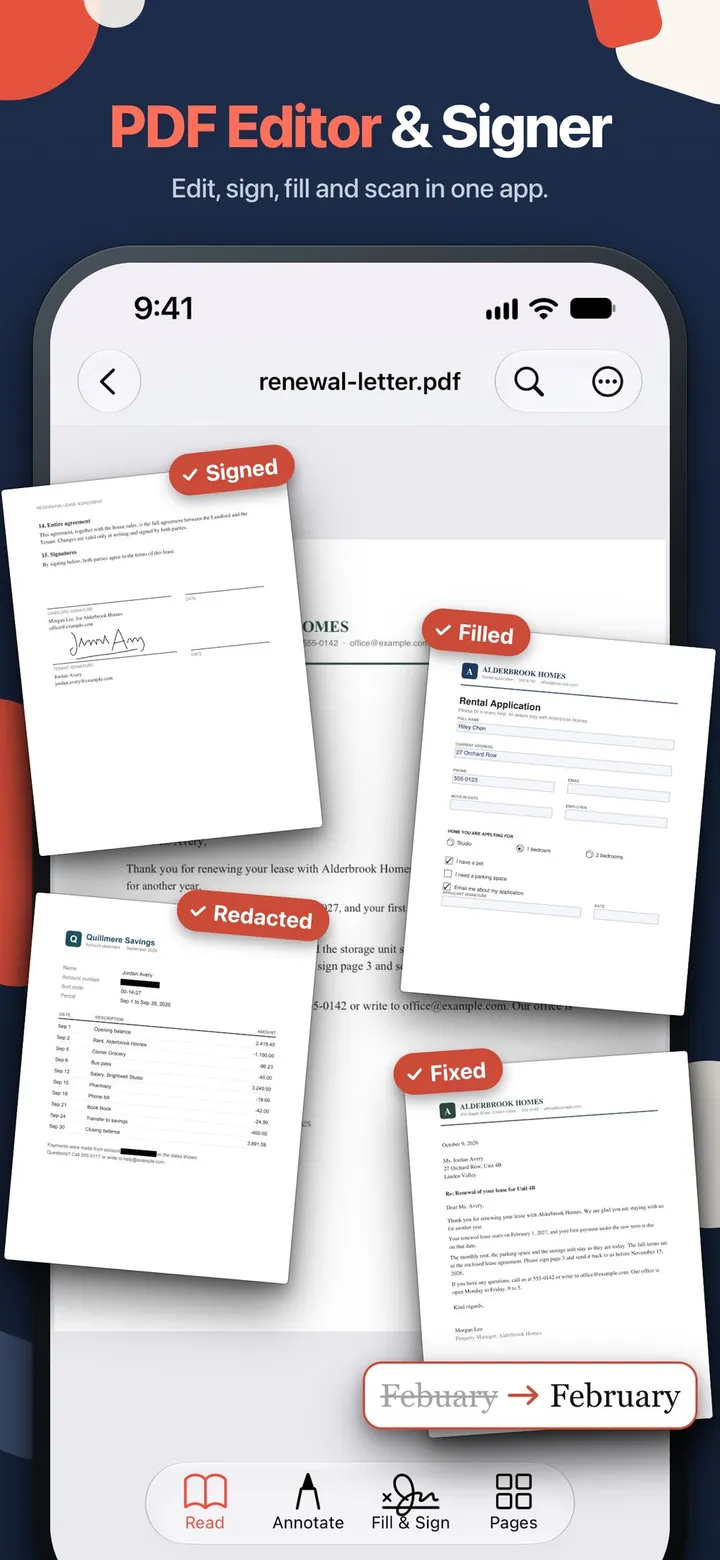
Short answer: signing, form filling, scanning and reading with markup come with myPDF, no purchase needed. The editing and file tools are Pro. Pro is one purchase, not a subscription, and there’s no account to create.
We make myPDF, so this page is the plain list of what you get without paying and what Pro adds. It covers myPDF 2.0 on iPhone, iPad, Mac and Android, as of October 2026. What’s included and what’s Pro is the same on all four, with one exception for page tools on the Mac (below).
What comes with the app
| Task | Without Pro |
|---|---|
| Sign a PDF | Yes. Draw a signature or take it from a photo. Saved signatures are one tap away |
| Signature from a photo | Yes, on iPhone, iPad, Mac and Android. Only the ink is kept, so there’s no white box around it |
| Fill PDF forms | Yes. Text fields, checkboxes and radio buttons, plus text anywhere on the page |
| Scan paper to PDF | Yes. Edge detection, several pages, crop, rotate and filters per page |
| Photos to PDF | Yes |
| Read and mark up | Yes. Highlight, underline, strike out, draw with a finger, Apple Pencil or mouse, notes and stamps |
| Find your way around | Yes. Search, table of contents, folders, Night and Sepia reading modes |
| Open password-protected PDFs | Yes |
That covers the most common reason people look for a PDF app: a form arrives by email and has to go back signed. You can do that start to finish without paying. Our guide on how to sign a PDF on your iPhone walks through it.
What Pro adds
| Task | Pro |
|---|---|
| Edit text in the PDF | Fix a typo or a date in the PDF itself |
| Edit images | Move, resize or replace a picture, or add a photo to a page |
| Searchable scans | Make a scan searchable, and clean up shadows |
| Merge, split, compress | Merge with page picking, split by range, compress with the text kept selectable |
| Pages | Reorder, rotate, duplicate, extract, delete, add pages. On the Mac, reorder, rotate, duplicate and delete in an open document come with the app; Page Organizer from the library, Insert, Extract and Split are Pro |
| Convert | Word, PowerPoint, Excel and EPUB to PDF; PDF to Word, PowerPoint, EPUB, text or RTF |
| Text to PDF | Turn typed text into a PDF |
| Redact | The text under the box is removed, not just covered |
| Protect | Open password, plus an owner password that limits printing and editing |
| Clean up a file | Sanitize (metadata, scripts, attachments), greyscale copy, remove annotations |
| Secure Wallet | Keep private PDFs locked behind a PIN or your device’s biometrics |
| Chat with a PDF | Ask a long document a question; the answer shows the page it came from |
| Links and bookmarks | Add links and bookmarks while reading |
| Compare PDFs (Mac only) | Put up to 3 versions side by side with the changed words and pages highlighted |
What Pro costs
Prices as read from App Store Connect and Google Play on October 18, 2026. The US price is the base. Prices vary by country, so the store shows the price for your region.
| Option | US price | Type |
|---|---|---|
| Pro for iPhone and iPad | $6.99 | One-time purchase |
| Pro for Mac | $6.99 | One-time purchase |
| Pro for iPhone, iPad and Mac (bundle) | $11.99 | One-time purchase |
| Pro for Android (Google Play) | $9.99 | One-time purchase |
During the trial, the paywall offers an early-bird price: $4.99 for iPhone and iPad, $4.99 for Mac, $7.99 for the bundle, or $4.99 on Android. Apple and Google Play purchases are separate, so Pro bought on Android doesn’t unlock the iPhone or Mac app, and the other way round. There is no subscription option, and nothing renews.
The tools that come with the app have no time limit. You can sign and fill forms for as long as you use the app, and decide about Pro only when you need one of its tools.
What this page doesn’t cover
- A few tools depend on the device. Compare PDFs and signing with a certificate are on the Mac only. On the Mac, scanning uses the camera of your iPhone or iPad, and reordering, rotating, duplicating and deleting pages in an open document need no Pro.
- Scanned pages and text editing. Edit text works on PDFs with real text. A scanned page is a picture, and some fonts can’t be edited either. The app tells you when that’s the case.
- On iPhone, iPad and Android, signatures are drawn or from a photo. They aren’t certificate-based digital signatures. For most rental forms, school forms and work paperwork that’s what’s asked for. If a form says “digital certificate”, myPDF for Mac can sign with a certificate or a USB token (Pro).
- Chat needs Apple Intelligence or, on iPhone and iPad, a one-time download of about 1.6 GB on devices without it. On the Mac, Chat needs Apple Intelligence.
Quick answers
- What can I do without Pro? Sign, fill forms, scan and mark up PDFs.
- Is Pro a subscription? No. It’s a one-time purchase.
- Does it need an account? No.
- Which devices? iPhone, iPad, Mac and Android, with the same split between included tools and Pro, except that basic page tools in an open document are included on the Mac.
- Where is the price for my country? On the App Store or Google Play page. Prices vary by country.
If all you need today is a signature, the tools that come with the app are enough. Pro is for the day a PDF has a typo you can’t send, or a file is too big to email.