50+ Features. One App. Zero Subscriptions.
From scanning your first document to chatting with AI about complex PDFs — myPDF handles it all without ever touching the cloud.
Document Scanner
Auto edge detection with perspective correction and batch scanning.
PDF Editor
Reorder, rotate, and delete pages with drag-and-drop simplicity.
Merge & Split
Combine multiple PDFs or split them into separate files instantly.
Fill & Sign
Digital signatures with reusable signature storage across documents.
AI Chat with PDF
On-device AI assistant answers questions about your documents. Fully offline.
OCR Recognition
Extract text from scans in 13+ languages. Create searchable PDFs.
Annotations
Highlight, underline, and annotate your documents with precision.
Watermark & Lock
Add custom watermarks and password-protect sensitive files.
Compress PDF
Reduce file sizes without sacrificing document quality.
Export & Convert
Export to Word, images, or plain text formats effortlessly.
Redaction
White-out sensitive information permanently and securely.
File Management
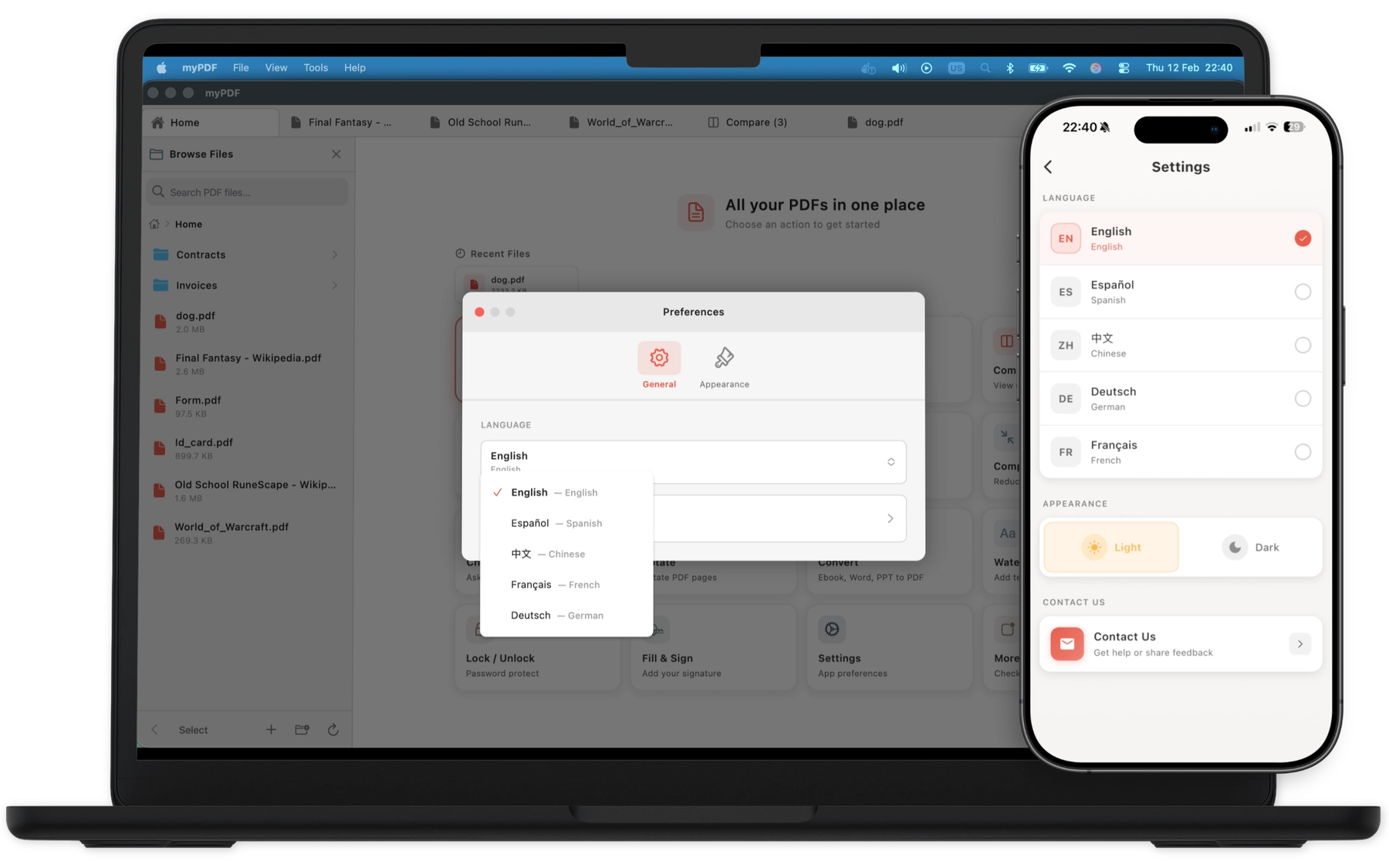
Organize with folders, bookmarks, and customizable reading modes.
Digital Signature
Sign documents with your Mac's digital certificate for verified authenticity.
Bookmarks
Add per-page bookmarks with custom labels for quick navigation.
Compare PDFs
Side-by-side document comparison to spot differences instantly on Mac.
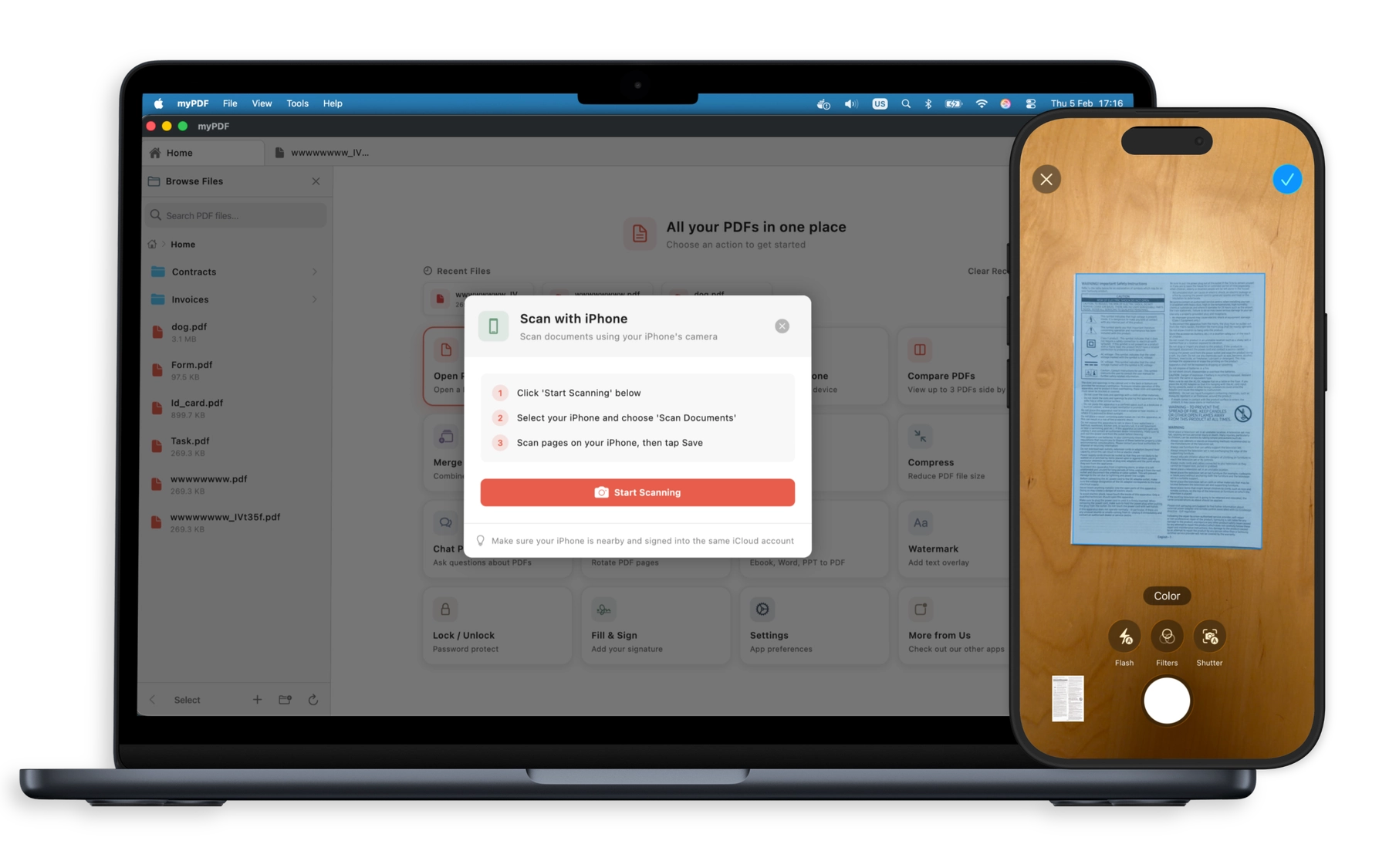
Professional Scanning in Your Pocket
Point your camera at any document and watch myPDF automatically detect edges, correct perspective, and enhance the image. Choose from B&W, grayscale, or auto-enhancement filters. Batch scan multiple pages in seconds.
- Automatic edge detection
- Perspective correction
- Batch multi-page scanning
- Enhancement filters
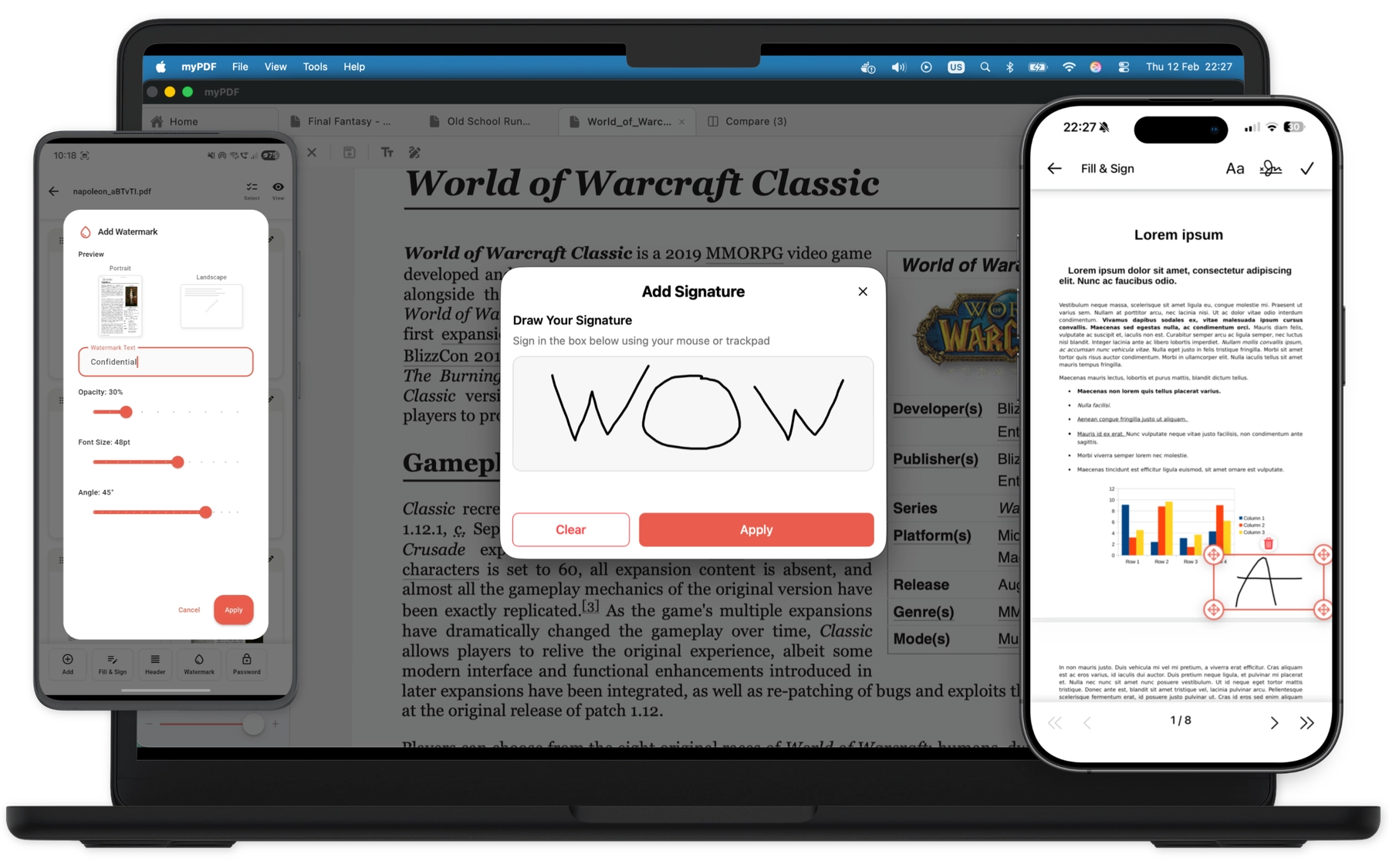
Sign Documents Anywhere. No Printer Needed.
Create reusable digital signatures, fill out forms, and add annotations. Protect sensitive documents with passwords and watermarks. Everything you need to handle contracts, agreements, and official paperwork.
- Reusable digital signatures
- Form filling
- Password protection
- Custom watermarks
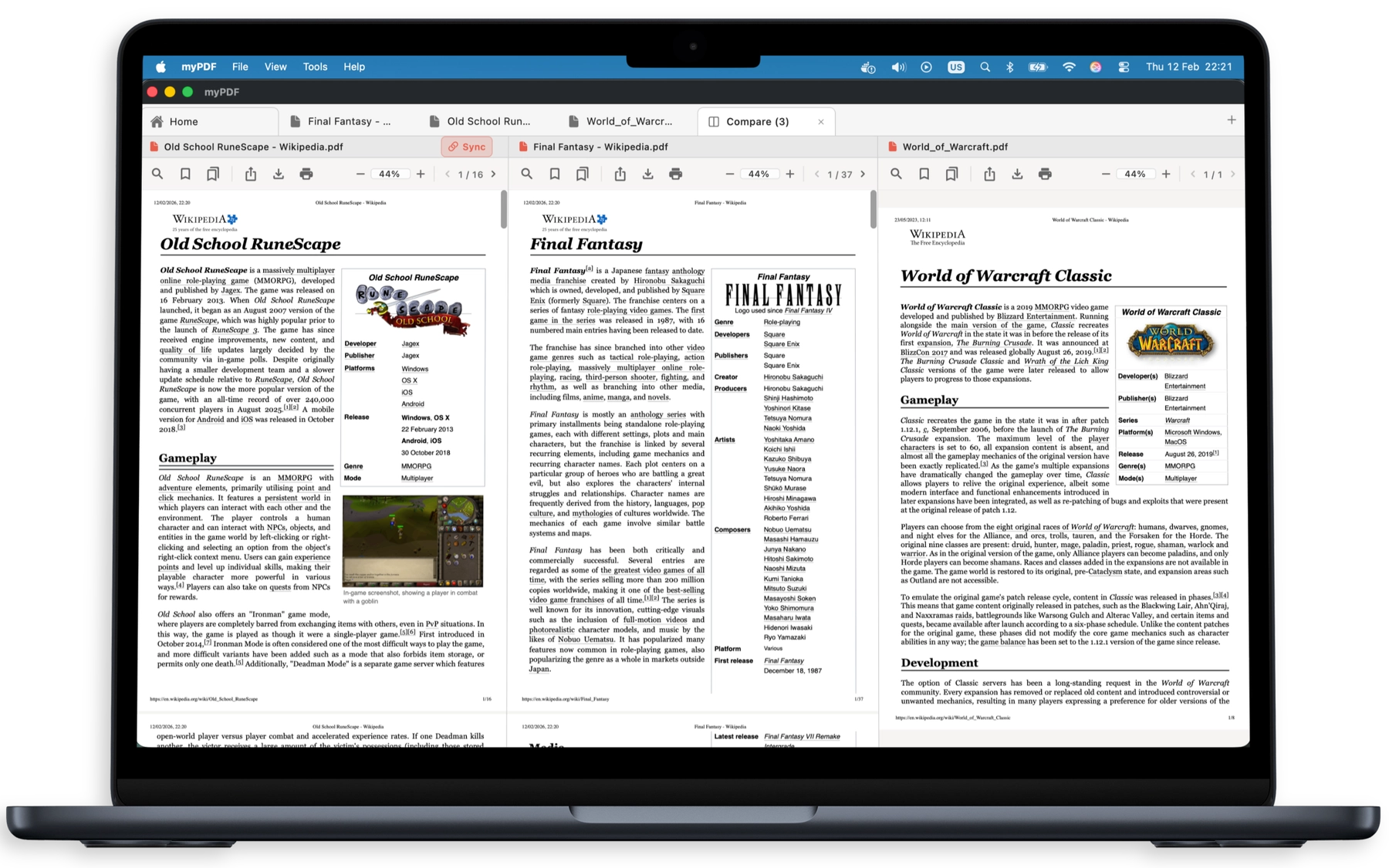
Compare PDFs Side by Side
Instantly spot differences between two versions of a document. Perfect for reviewing contracts, tracking revisions, and verifying edits. Available on macOS.
- Side-by-side comparison
- Difference highlighting
- Contract & revision review
- Native macOS performance
Bookmark & Navigate Your PDFs
Add per-page bookmarks with custom labels to jump to important sections instantly. Bookmarks are saved locally and auto-cleaned when files are deleted.
- Per-page bookmarks
- Custom labels
- Quick jump navigation
- Persistent across sessions
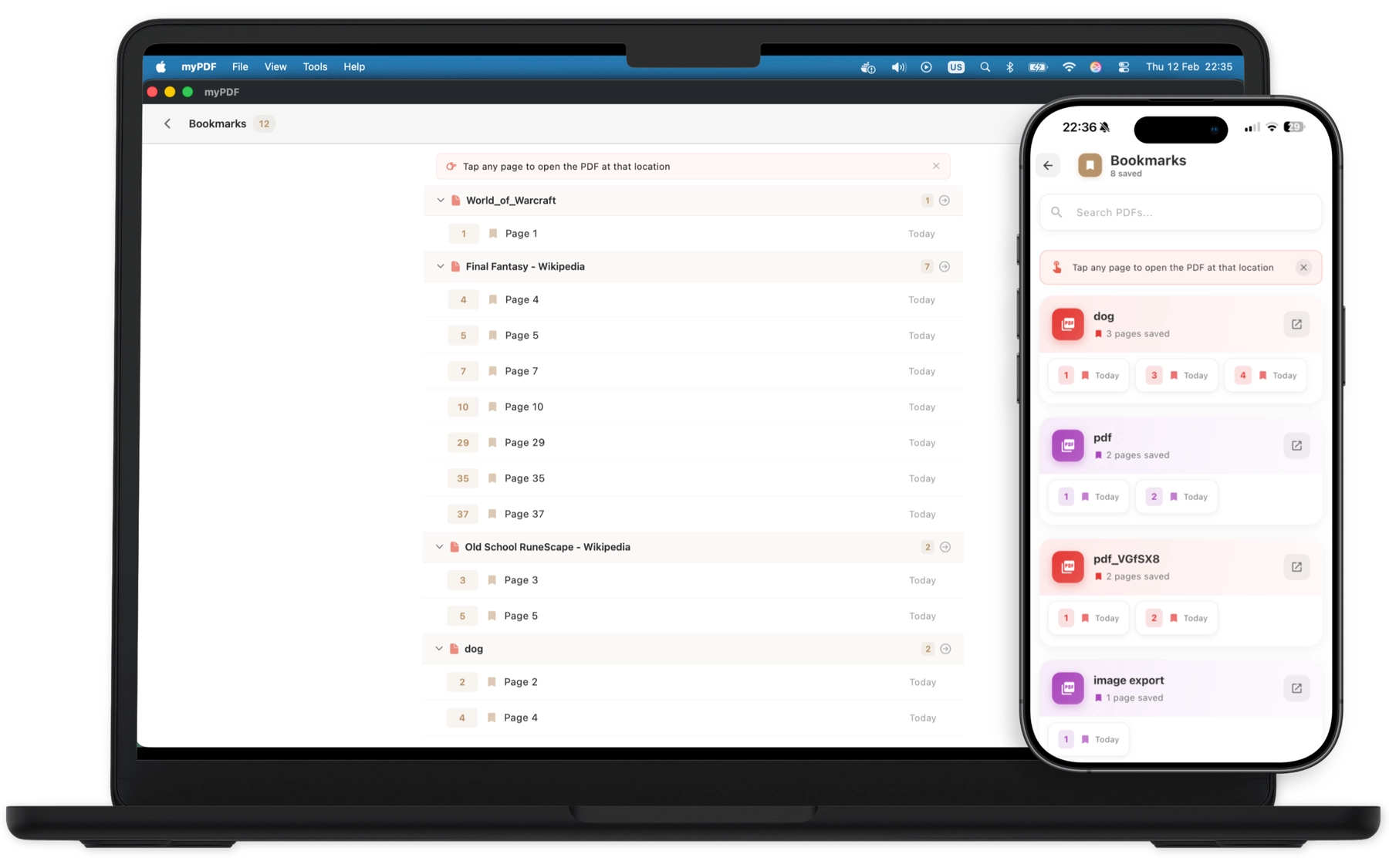
Chat With Your Documents — Completely Offline
Ask questions, get summaries, and extract insights from any PDF using on-device AI. Your conversations and documents never leave your device. No internet required. No cloud processing. Just you and your documents.
- On-device AI processing
- No internet required
- Complete document privacy
- Smart summaries & answers
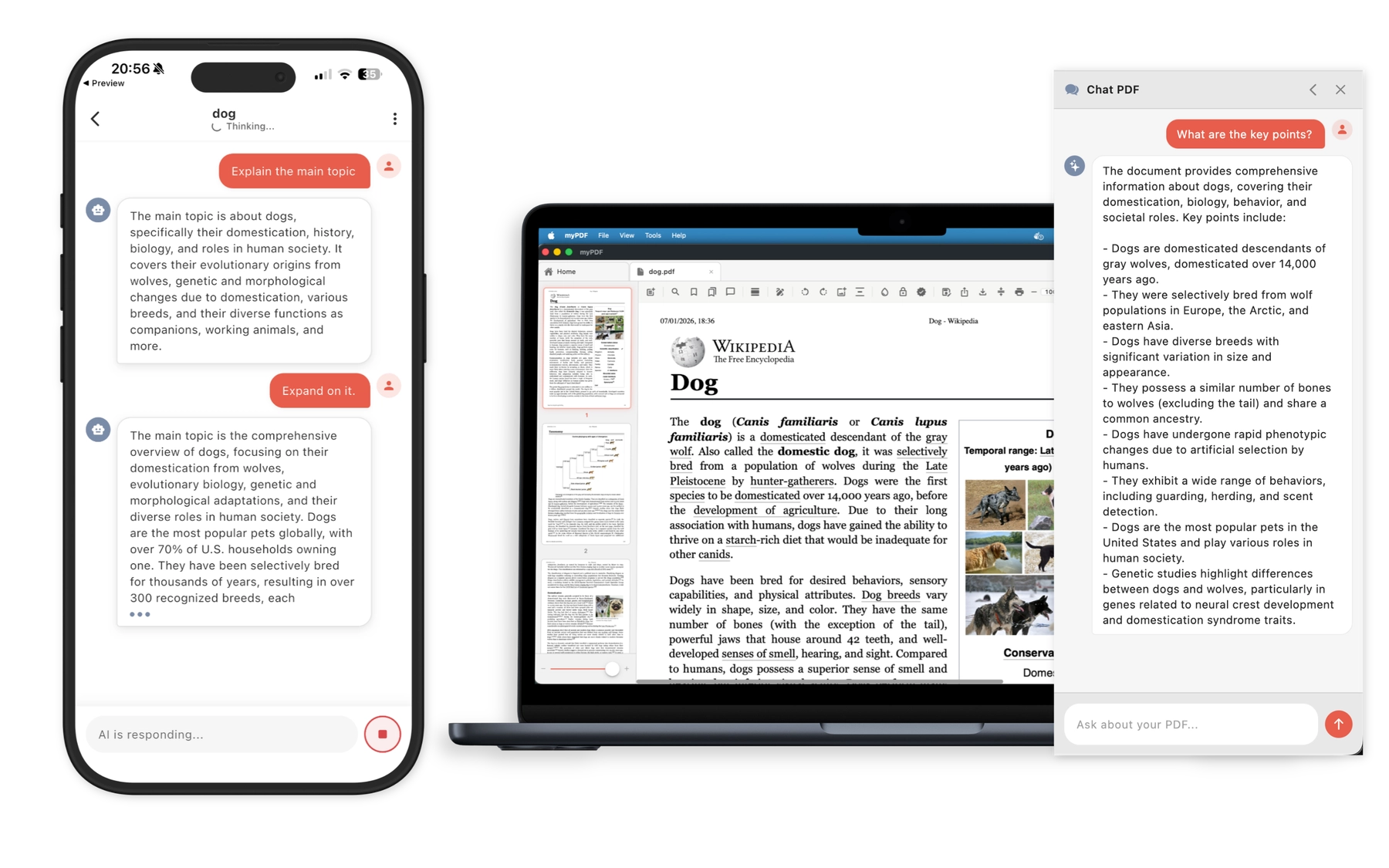
Available in 5 Languages — With 13+ OCR
Use myPDF in English, German, French, Spanish, and more. Plus, extract text from scanned documents in 13+ languages with automatic detection — all processed entirely on your device.
- App available in 5 languages
- OCR in 13+ languages
- Searchable PDF export
- On-device processing
Built for Every Workflow
Healthcare
Digitize patient forms, prescriptions, and medical records with complete privacy.
- HIPAA-friendly offline processing
- OCR for handwritten notes
- Secure document signing
Legal
Handle contracts, agreements, and court documents with confidence.
- Fill & sign legal forms
- Redact sensitive information
- Merge case documents
Education
Scan textbooks, organize lecture notes, and annotate study materials.
- Batch scan class notes
- Annotate & highlight PDFs
- AI-powered study assistant
Personal
Manage receipts, IDs, travel documents, and everyday paperwork.
- Scan receipts & invoices
- Organize personal files
- Password-protect documents
Frequently Asked Questions
How much does myPDF cost?
myPDF is free to download with core features included. A one-time purchase unlocks all advanced features — no subscriptions, no recurring fees. Your purchase also supports bringing more amazing features to the app.
Does myPDF work offline?
Absolutely. Every feature in myPDF works without an internet connection — including document scanning, OCR text recognition, PDF editing, and even AI chat. Your documents never leave your device.
How does the AI chat feature work without internet?
myPDF uses an on-device language model that runs directly on your phone's processor. This means your conversations with documents are completely private and work anywhere, even in airplane mode.
What languages does OCR support?
myPDF supports text recognition in 13+ languages including English, Spanish, French, German, Italian, Portuguese, Chinese, Japanese, Korean, Russian, Arabic, Hindi, and Dutch.
Can I merge multiple PDFs together?
Yes! You can merge unlimited PDFs with drag-and-drop reordering. You can also select specific pages from each document before merging.
Is myPDF available on Android?
Yes, myPDF is available on iOS, Android, and macOS. A Windows version is currently in development.
How does myPDF compare to other PDF apps?
Unlike other PDF apps that charge up to $19.99/month, myPDF is free to download with a one-time purchase for advanced features — no subscription. Most PDF apps require cloud processing, but myPDF uniquely processes everything 100% on-device for maximum privacy.
Can I password-protect my PDFs?
Yes. myPDF supports full PDF encryption with user and owner passwords. You can also add custom watermarks for additional document security.
Is my data safe with myPDF?
Your data is as safe as it gets. myPDF collects zero data, uses zero analytics, and processes everything locally on your device.
Ready to Take Control of Your PDFs?
Join thousands of users who chose privacy over convenience — and got both.
Free download. No account required.